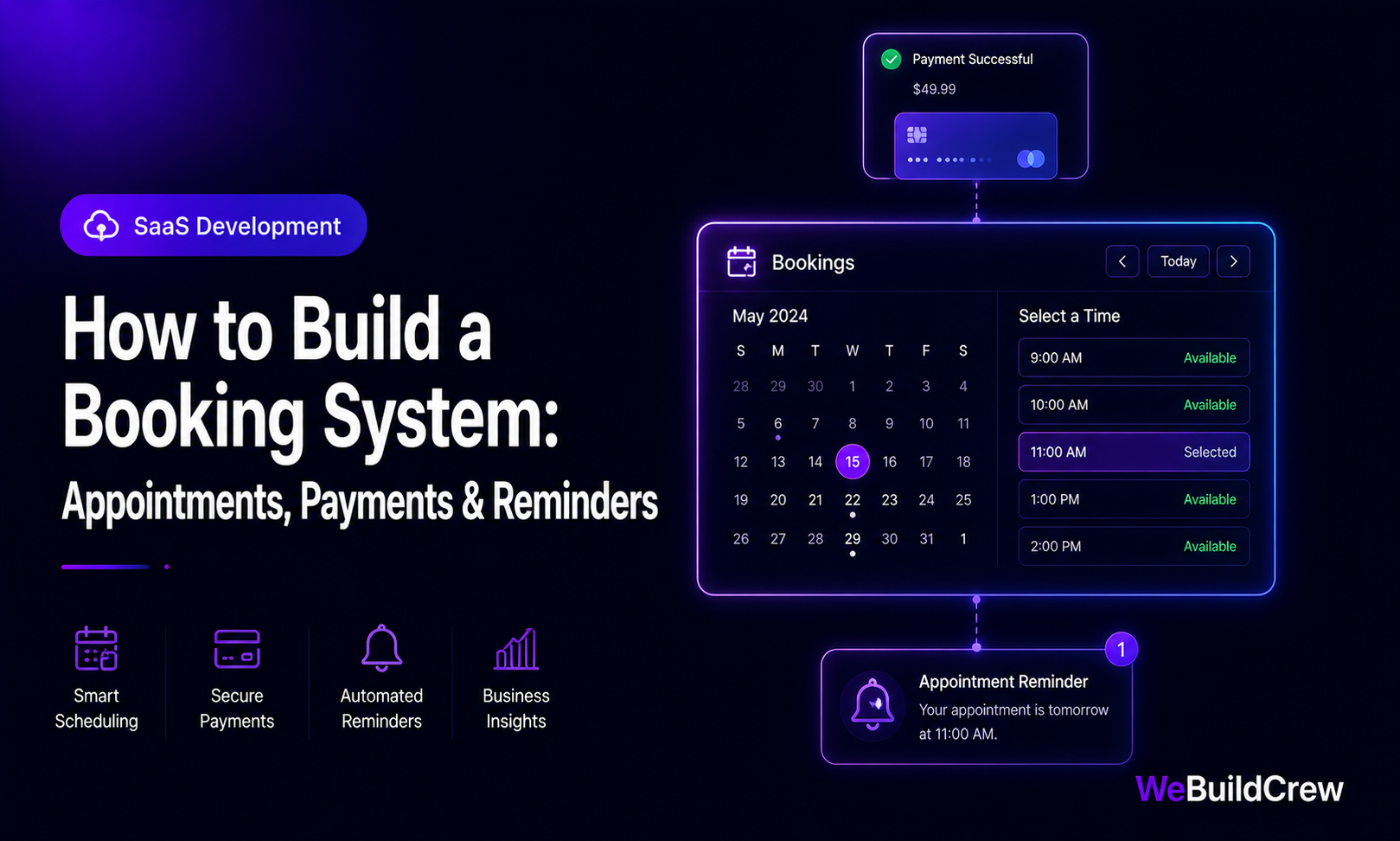
Phone-and-DM scheduling kills productivity, misses bookings and leaks revenue to no-shows. A well-built booking system lets clients self-serve 24/7, takes a deposit upfront and sends reminders automatically — so you only show up to confirmed, paid appointments.
The four jobs a booking system must do
- 1Show real availability — no double-bookings
- 2Take a deposit or full payment at booking time
- 3Send confirmation and reminders automatically
- 4Let clients reschedule or cancel without calling you
Real-time availability engine
The hardest part is availability: combining your staff schedules, existing bookings, buffer times and time zones into an accurate slot grid. We model this with a slot generator that reads from a rules table (working hours, breaks, service duration) and subtracts confirmed bookings.
export function openSlots(schedule: Schedule, bookings: Booking[], date: Date) { const slots = generateSlots(schedule, date); // 9am–6pm every 30min return slots.filter((slot) => !bookings.some((b) => overlaps(slot, b)) );}Taking deposits with Stripe
A deposit captures real intent and halves no-show rates. We use Stripe's PaymentIntent for deposits, storing the payment_intent_id on the booking row — so if the client cancels inside the refund window we can refund programmatically, outside the window the deposit is kept.
Automated reminders
A reminder sequence — 24 hours before, 2 hours before — reduces no-shows further. We send via email (Resend) and optionally SMS, triggered by a scheduled job that queries bookings starting in the next window.
Multi-staff calendars
Service businesses with multiple staff need per-staff availability, per-service durations and the ability to assign bookings to specific team members. We model each staff member as a resource with their own schedule and link bookings to both a service and a staff record.
−60%
No-shows with deposits
24/7
Self-booking
instant
Confirmations
2-way
Calendar sync
Need this built? Explore our SaaS Development service.
View service →Written by Zahid Ghotia · Published 3 June 2026 · 8 min read